
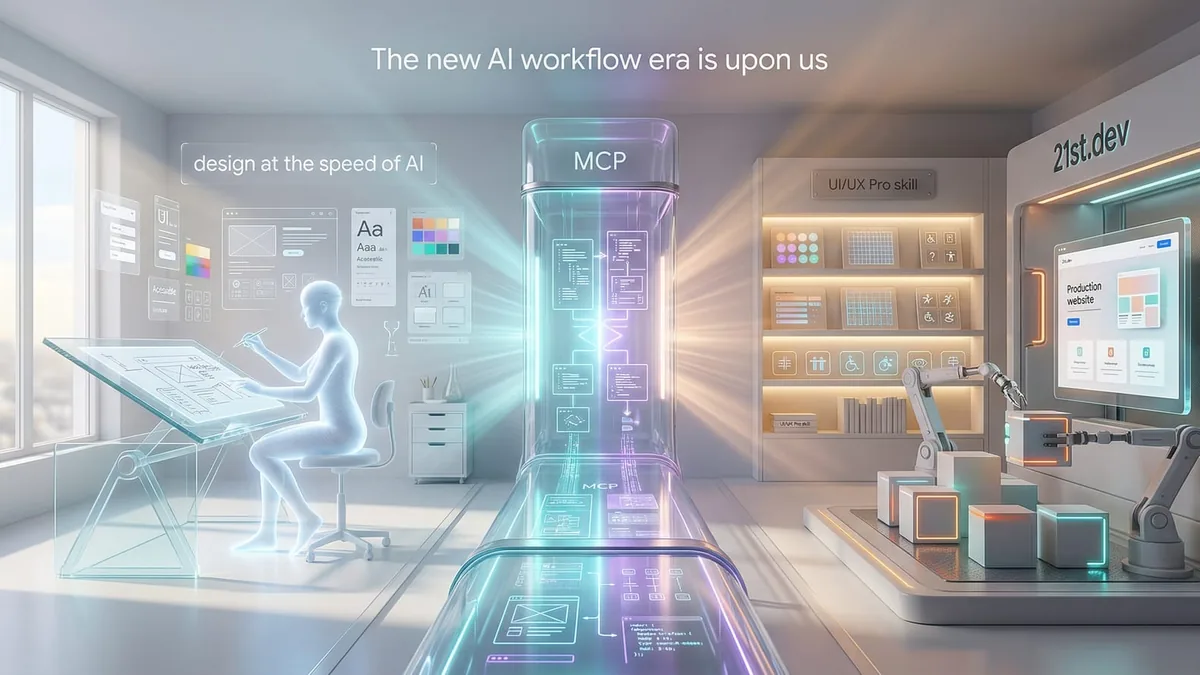
Yesterday I cam across a video by Jens Heitmann which illustrated an interesting app design workflow. It showed a complete website redesign workflow using Google Stitch, MCP, ui-ux-pro-max-skill and a component library called 21st Dev. The creator coded nothing, the output looked production-grade. The initial launch of my site was done just with Claude Code and whilst the output looked good, it was time to take a small refresh and this video was the catalyst. After 4-5 hours I have completely redesigned the site, added very easily some new features, identified an AI workflow and have a blog article to boot. Here is what the stack looks like, how the pieces connect, and what it produced.
The Stack Before
The foursignals.dev blog is built on Astro 5 with Cloudflare Pages as the deployment target and Notion as the content database. The initial build was fast, close to a week from zero to deployed, largely generated through Claude Code against a design spec. Functional, structured, and visually adequate. The brand design was in place and the layout worked.
What it lacked was considered design. The type hierarchy was flat. Component spacing was inconsistent. The visual identity felt assembled rather than designed. The kind of thing that bothers you slowly, then all at once. Fixing it the traditional way would mean going back into the Astro component tree, making manual spacing and type decisions, iterating in browser. Time-expensive. Taste-dependent. The wrong loop for a solo operator.
The Stack After
The redesign used four tools in sequence, orchestrated through Claude Code.
Google Stitch is Google Labs' AI-native design tool, rebuilt significantly in early 2026 with Gemini 3 powering generation. It creates high-fidelity UI from natural language on an infinite canvas. You describe intent, feel, and business objective. The agent handles layout, component selection, and type hierarchy. It exports to React, HTML/CSS, or Figma. Critically, it ships a DESIGN.md format: an agent-readable markdown file encoding the complete design system with colours, type scales, spacing rules, and component behaviour.
The Stitch MCP server (@_davideast/stitch-mcp) connects Stitch directly to coding agents via the Model Context Protocol. Once configured, Claude Code can pull screen designs as HTML, fetch design tokens, and map screens to routes. The setup requires a Stitch API key (free, generated from stitch.withgoogle.com settings) and one command to add the MCP server. There is also an official Stitch Skills repository with agent skills for prompt enhancement, design system synthesis, and framework-specific component conversion.
The UI/UX Pro Max skill is a Claude Code skill (not an MCP server) that provides design intelligence. It contains a searchable database of 57 UI styles, 95 industry-specific colour palettes, 56 font pairings, UX guidelines, and anti-patterns across 11 technology stacks including Astro. When Claude Code does UI work, the skill auto-activates and generates a complete design system recommendation based on the project type. It cross-references against the Stitch output, filling gaps and flagging conflicts.
**21st.dev Magic** is an MCP server that generates production-ready React and TypeScript components from natural language descriptions. You type /ui hero section with dark theme and orange CTA and it generates the component, drawing from a curated library of community-published patterns. The output is clean, editable, and drops straight into your codebase. It handles everything from navigation bars to pricing grids to blog card layouts.
The Workflow
The sequence runs like this.
First, design in Stitch. I described the site in terms of brand intent, not layout instructions. For foursignals.dev, that meant: engineering leadership blog, CTO audience, editorial authority, light mode, generous whitespace, Source Serif 4 headlines, technical credibility over approachability. I pasted the existing foursignals.dev URL into Stitch to extract the current design DNA, then iterated on variations. Stitch generated multiple screen variations. I landed on "Four Signals 2.1", a light-mode editorial design it called "The Light Architect": authority conveyed through whitespace, typographic hierarchy, and sculptural card panels rather than darkness.
The DESIGN.md was exported at this stage. It encoded every design decision: the colour architecture (background #f8fafc, surface white, signal accents in cyan/purple/amber/green), the type scale (Source Serif 4 for headlines, Inter for body, JetBrains Mono for labels), component patterns (sculptural panels with hover lift, glass-nav with backdrop blur, grid overlay texture at 40px spacing). A complete, machine-readable design system.
Second, tool setup. I added three tools to the Claude Code project configuration:
The Stitch MCP server:
claude mcp add -s project -e "STITCH_API_KEY=your-key" stitch -- npx -y @_davideast/stitch-mcp proxy
The 21st.dev Magic MCP server:
claude mcp add -s project -e "API_KEY=your-key" @21st-dev/magic -- npx -y @21st-dev/magic@latest
And the UI/UX Pro Max skill via:
npm install -g uipro-cli && uipro init --ai claude
I also installed the Stitch design skills for Astro-compatible component conversion:
npx skills add google-labs-code/stitch-skills --skill stitch-design
npx skills add google-labs-code/stitch-skills --skill react:components
Third, design system application. Claude Code pulled the Stitch design via MCP, then I fed the DESIGN.md as context. The UI/UX Pro Max skill auto-activated and cross-referenced the Stitch tokens against its database with the --stack astro flag, recommending refinements for accessibility and confirming typography choices. Claude Code generated a complete Tailwind CSS theme extension mapping every design token: colours, font families, letter spacing, border radius, and the custom CSS classes (.sculptural-panel, .grid-overlay, .hero-haze, .glass-nav).
Fourth, component generation. This is where 21st.dev Magic earned its place. Each section of the landing page got its own prompt. The navbar with glass-blur effect. The split-layout hero (text left, portrait right, with a status badge pulsing cyan and a UID caption). The stats bar (7 Startups, 2 Acquisitions, $35M Series B, PhD, AI Toolkit Ready). The four framework cards as sculptural panels with coloured glow blobs and animated progress bars. The "Collaborative Architect" bio section (I renamed) with grayscale photo and cyan corner accent. The "Latest Dispatches" blog grid with category-coloured hover states. The footer.
Claude Code assembled these into Astro components, with the static sections as .astro files and interactive elements handled by inline scripts rather than React islands, keeping the JS bundle minimal.
Fifth, polish. Running the webserver locally and prompting with the ui-ux-pro skill to adjust various elements. Add a news ticker to the landing page, add a hero header the the articles pages (DISPATCHES), adjust this copy, add color here etc etc. The flow was a joy you just ask and get and very tight iteration loop. The result: no Figma opened, no manual CSS decisions, no browser-loop iteration. The whole process compressed what would have been a week of design-to-code into an afternoon.
What Changed and What Did Not
The visual shift was dramatic. From a dark, terminal-aesthetic blog to a light, editorial design with real typographic hierarchy. Source Serif 4 headlines give the headings weight. Inter body text is legible at every size. The sculptural card panels with their hover-lift animations feel deliberate in a way the flat components they replaced did not. What the workflow did not do is generate content strategy, fix the navigation information architecture, or make decisions about what the site should prioritise. Those decisions still required a human with context. The tools are design execution accelerants, not product thinkers. There is also a quality ceiling. Complex interaction patterns, custom animations beyond what CSS transforms provide, and highly specific layout constraints still need manual iteration. The DESIGN.md export partially addresses this: once a design system is encoded, deviations are easier to spot and correct.
The Process Signal
What made this workflow worth writing about is not the individual tools. It is the process model. The traditional design-to-code loop has a handoff problem. Design lives in Figma. Code lives in the IDE. The translation between them is manual, lossy, and slow. Every decision made in Figma has to be re-made or reverse-engineered by the developer. The Stitch MCP model collapses that handoff. DESIGN.md is the artifact that travels between design intent and code execution. The MCP servers are the transport layer. A coding agent reads structured design data and applies it. The loop is: describe intent, generate design system, apply via agent. No translation required.
For a solo operator running a content site, this is not a novelty. It is a meaningful reduction in the time cost of maintaining a design-coherent codebase. The same model scales to small teams where design and engineering overlap significantly. The tools are experimental, not production-hardened enterprise tooling. But the pattern (AI-generated design system, machine-readable export format, agent-applied implementation) is the direction the design-to-code workflow is heading. The question is not whether this replaces design. It does not. The question is how much design execution time it absorbs, and for a technical founder or engineering-led team, the answer is: most of it.
Tool Summary
| Tool | What It Does | Type | Link |
|---|---|---|---|
| Google Stitch | AI design canvas. Generates high-fidelity UI from natural language, exports DESIGN.md and HTML/CSS. Free with Google account. | Web App | stitch.withgoogle.com |
| Stitch MCP (davideast) | Connects Stitch to coding agents (Claude Code, Cursor, Gemini CLI). Pulls designs, tokens, and screens via MCP. | MCP Server | github.com/davideast/stitch-mcp |
| Stitch Skills | Agent skills for prompt enhancement, design system synthesis, and React component conversion from Stitch screens. | Claude Code Skills | github.com/google-labs-code/stitch-skills |
| 21st.dev Magic | Generates production-ready React/TypeScript components from natural language. Curated community component library. | MCP Server | 21st.dev/magic |
| UI/UX Pro Max | Design intelligence skill. 57 UI styles, 95 colour palettes, 56 font pairings, UX guidelines across 11 stacks. Auto-activates on UI work. | Claude Code Skill | github.com/nextlevelbuilder/ui-ux-pro-max-skill |
| Claude Code | Anthropic's CLI coding agent. Orchestrates all tools above, assembles components, writes code. | CLI Agent | docs.anthropic.com |
| Astro | Static site framework. Target for the generated components. | Framework | astro.build |
| Cloudflare Pages | Deployment target. | Hosting | pages.cloudflare.com |
Links
- The TikTok video that started this: Jens Heitmann's workflow demo
- My TikTok: @foursignalsdev
- Google Stitch: stitch.withgoogle.com
- Stitch MCP Setup Docs: stitch.withgoogle.com/docs/mcp/setup
- Stitch MCP CLI: github.com/davideast/stitch-mcp
- Stitch Skills: github.com/google-labs-code/stitch-skills
- 21st.dev Magic: 21st.dev/magic
- 21st.dev Magic MCP: github.com/21st-dev/magic-mcp
- UI/UX Pro Max Skill: github.com/nextlevelbuilder/ui-ux-pro-max-skill
- UI/UX Pro Max Docs: ui-ux-pro-max-skill.nextlevelbuilder.io
- Four Signals: foursignals.dev